A customer lands on your store. They look at your product. They read your description. They hover over the Add to Cart button.
Then they leave.
Not because your product isn't good. Not because your price is wrong. But because something about your store gave them a feeling — subtle, often unconscious — that they couldn't quite trust it.
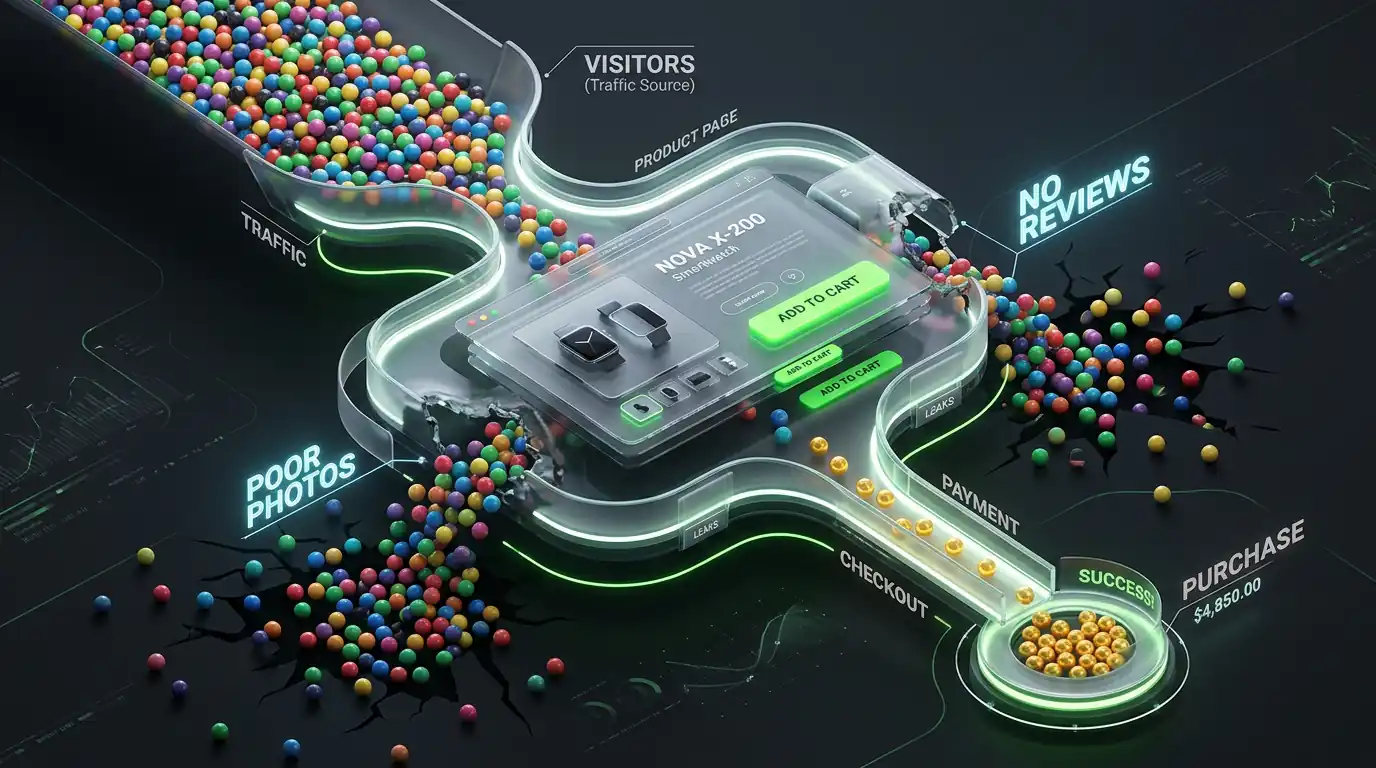
Trust is the invisible barrier between traffic and sales. And in e-commerce, where customers can't pick up your product, look you in the eye, or visit a physical location, trust has to be built entirely through what they see on your website.
Here's how to find every trust gap in your store and fix it.
The Trust Audit — What to Check First
Before making any changes, look at your store the way a first-time visitor would. Open your homepage in an incognito window. You've never heard of this store before. You don't know if it's legitimate.
Ask yourself honestly:
- Does this look like a professional business?
- Can I tell what this store sells within 5 seconds?
- Can I find contact information easily?
- Are there reviews from real customers?
- Do I know what happens if I'm not happy with my order?
- Does the checkout feel safe?
If any of these answers is no, that's a trust gap that's costing you sales.
Trust Problem 1 — Your Store Looks Like a Template
Shopify themes are beautiful and functional. But when a customer visits a store that looks exactly like the default version of a popular theme — unchanged colors, placeholder-style photography, generic fonts — it signals that little attention has been paid to the brand.
Attention to visual detail is a proxy signal for attention to product quality and customer service. A store that looks polished and intentional feels more trustworthy than one that looks like it was launched in an afternoon.
The minimum visual standard
Your own logo — Not a text logo or a slightly modified template logo. A real, designed logo that reflects your brand.
Consistent brand colors — Choose two or three colors and use them consistently throughout your store. Inconsistent colors throughout a store feel unfinished.
Professional photography — This is the biggest single visual trust signal. Stores with high-quality product photography feel legitimate. Stores with blurry, poorly lit, or inconsistent photos feel like they might not be real businesses.
Custom typography — Using a distinctive font pairing that matches your brand personality takes 30 minutes to set up in most Shopify themes and immediately improves brand perception.
Trust Problem 2 — No Social Proof (Or Weak Social Proof)
Social proof is the evidence that other real people have bought from you and were happy. It's the most powerful trust signal available to an e-commerce store because it answers the customer's unspoken question: "Is this store actually legitimate and does this product actually work?"
Types of social proof ranked by power
Customer photos in reviews — A review that includes a photo of the actual product in a real customer's home or on a real person's body is the most powerful form of social proof. It proves the product exists, is as described, and was received by a real customer.
Detailed written reviews — Reviews that describe a specific experience ("I ordered this for my daughter's birthday and it arrived in perfect condition with two days to spare — she loved it") are far more convincing than generic five-star reviews with no content.
Star ratings with volume — "4.8 stars from 247 reviews" is a trust signal. "5 stars from 2 reviews" is not — it's too easy to fake and too small a sample to mean anything.
Customer count or order count — "Over 3,400 orders shipped" or "Join 2,800+ happy customers" provides social proof even without individual reviews.
Press mentions or features — "As seen in..." with media logos adds credibility. Only use this if it's genuine.
User-generated content on social media — Real customers posting about your products on Instagram or TikTok, displayed on your store, is powerful social proof.
How to get more reviews
The most reliable method: ask. Send an email 7 to 14 days after delivery asking for a review. Most happy customers will leave one if prompted — they just don't think to do it unprompted. Offer loyalty points for reviews to increase the response rate.
Trust Problem 3 — Contact Information Is Hard to Find
One of the clearest signals that a store is not legitimate is the absence of visible contact information. Customers who have a question or concern want to know that a real person is reachable.
Check your store: can a first-time visitor find an email address, phone number, or live chat option within 10 seconds without looking hard?
If the answer is no, fix it immediately.
What to show and where:
Put your primary contact method (email or chat) in your site header or a visible location on your homepage. Include full contact details — email, phone if applicable, physical address if you have one — in your footer on every page. Have a dedicated Contact page that's linked in your navigation.
The easier it is to contact you, the more trustworthy your store feels — even to customers who never actually contact you.
Trust Problem 4 — No Clear Return Policy
The question every online shopper asks before buying is: "What happens if this isn't right for me?"
If your return policy is unclear, hidden, or nonexistent, the customer's risk feels high. They're committing money to a product they can't physically inspect, from a store they don't know, with no clear recourse if it doesn't work out.
A clear, generous return policy removes this barrier.
What your return policy needs to say
Be specific about the timeframe — "30 days from delivery" is clear. "A reasonable time" is not.
Be clear about what's covered — full refund, store credit, or exchange only.
Be clear about who pays for return shipping — this is often the deciding factor for customers.
Be clear about the condition required — unused and in original packaging, or lightly used, or any condition.
Make the process easy to understand — a simple numbered list of steps is better than a paragraph of policy language.
Where to show your return policy
Your return policy should appear in your store's footer, on a dedicated page, and near the Add to Cart button on product pages. The closer the return policy is to the purchase decision, the more it reduces hesitation.
Trust Problem 5 — Your Checkout Feels Unsafe
Even if a customer decides they want to buy, they have one more moment of doubt at the payment step: "Is it safe to enter my card details here?"
This is a rational concern. Payment fraud is real and customers know it. Your checkout needs to actively signal that it's secure.
Security signals that work:
SSL certificate — Your store URL should start with "https://" not "http://". Shopify handles this automatically, but verify it's working.
Security badges near the payment form — "Secure Checkout," "SSL Encrypted," "Your information is protected" messages near where customers enter payment details.
Payment provider logos — Displaying Visa, Mastercard, PayPal, Apple Pay, and Google Pay logos signals that you use legitimate, trusted payment infrastructure.
Shop Pay — Customers who recognize the Shop Pay branding (widely used across Shopify stores) feel more comfortable because they know the payment system is legitimate and their information is protected.
Trust Problem 6 — Your About Page Doesn't Exist or Isn't Personal
Your About page is where curious customers go to answer the question: "Who is behind this store and should I trust them?"
Most Shopify stores either have no About page or have one that's so generic it's meaningless. "We're passionate about providing high-quality products to our customers" tells a visitor absolutely nothing.
A real About page answers these questions:
Who started this store and why? What's the story behind the brand? What do you care about that most stores in your space don't? What makes your products or sourcing different? Who are the real people behind the orders?
A photo of you (the founder) or your small team on the About page is worth more than a paragraph of brand copy. It proves there's a real person behind the store. Real people are trustworthy. Anonymous storefronts are not.
Trust Problem 7 — Your Store Has Too Many Popups and Interruptions
There's a paradox in conversion optimization: some tactics that are designed to increase sales actually destroy trust.
An aggressive popup that appears the moment someone lands on your homepage says "I want your email address more than I want to show you my products." A countdown timer that resets every time you refresh the page says "I'm willing to lie to create urgency." Multiple chat bubbles, notification popups, and promotional banners stacked on top of each other say "I don't respect your attention."
Customers have developed finely tuned radar for manipulative tactics, and when they detect them, trust drops immediately.
Audit your store for:
- Popups that appear within 3 seconds of landing
- Countdown timers that aren't for genuine limited-time offers
- Fake "low stock" warnings on products that are always available
- Multiple simultaneous popups or overlays
- Autoplay videos or sounds
Remove or soften anything that feels aggressive. Customers who feel respected are more likely to buy than customers who feel pressured.
The Trust Fix Priority List
Immediate (this week): □ Add visible contact information to header and footer □ Create or improve your return policy — make it clear and generous □ Add security badges near your checkout button □ Check that your store URL is https://
Short term (this month): □ Get a review app running and start collecting reviews □ Add customer review count and rating near product title □ Rewrite your About page with a real story and photo □ Remove aggressive popups and fake urgency tactics
Medium term (next 2-3 months): □ Improve your product photography □ Establish consistent brand colors and typography □ Build up social proof through post-purchase email requests □ Add a FAQ section addressing common purchase concerns
Trust is not built in a day. But trust gaps can be fixed quickly, and the improvement in conversion rate from fixing them is often dramatic — because the same traffic that was bouncing starts converting.
If you want a second set of eyes on your store's trust signals, I'm happy to look at your specific situation and tell you what's most likely causing hesitation.